
By myringsizecalculator.com · Updated January 2026 · 10 min read
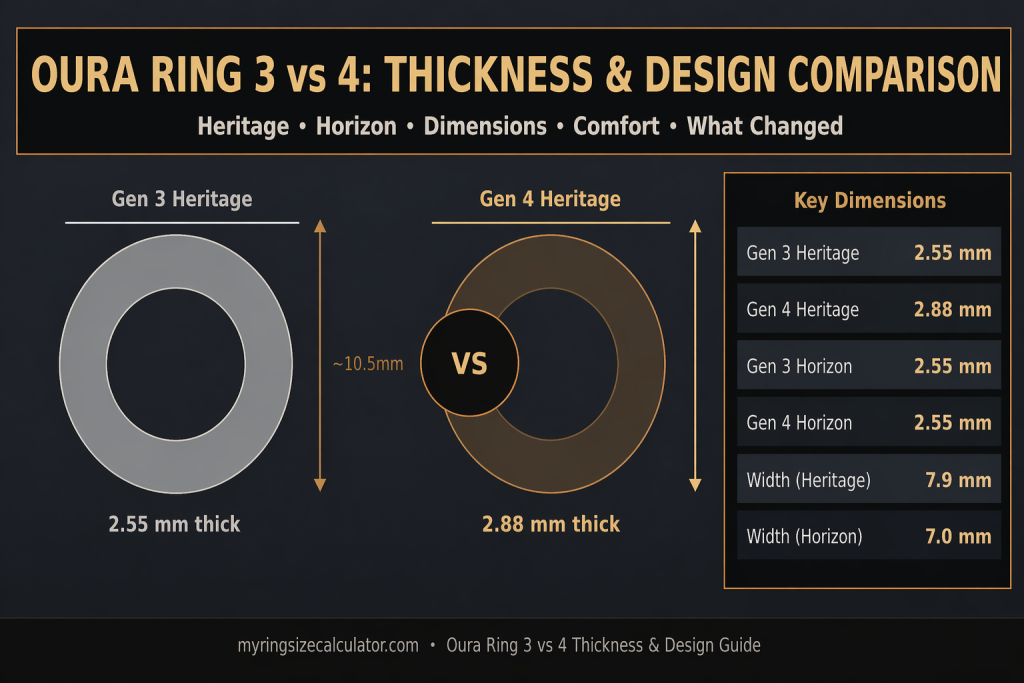
Oura Ring 3 vs 4 thickness: the Heritage design gained 0.33 mm in thickness to accommodate the 10-LED Smart Sensing 2.0 sensor array.
| ⚡ Quick Answer: Is the Oura Ring 4 Thicker Than Gen 3?Yes — but only the Heritage design, and only slightly. The Oura Ring Gen 4 Heritage is 2.88 mm thick, compared to 2.55 mm for the Gen 3 Heritage — a difference of 0.33 mm (approximately 13% thicker). The Horizon design is unchanged at 2.55 mm for both generations. The thickness increase in the Heritage is due to the expanded 10-LED Smart Sensing 2.0 sensor array, which required slightly more interior space than the Gen 3’s 4-LED system. Width and inner diameter are identical across both generations. |
1. The Exact Measurements: Gen 3 vs Gen 4 Thickness
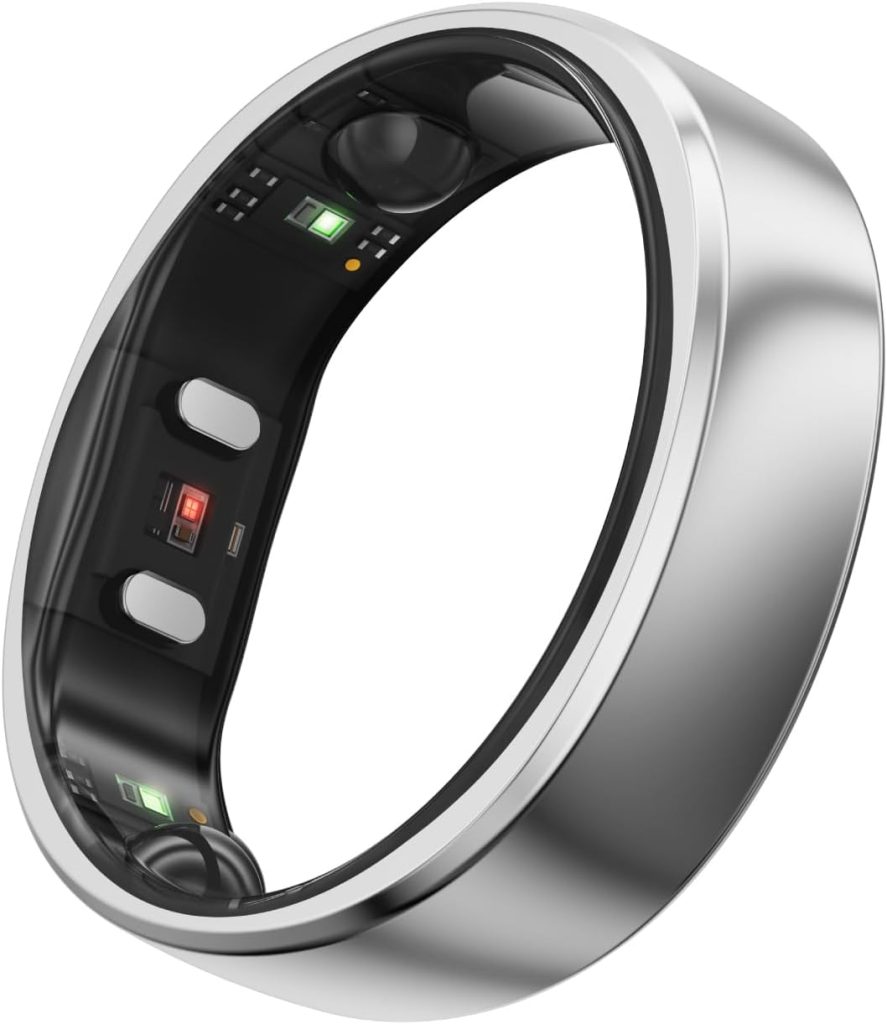
| Official Thickness Measurements at a Glance Gen 3 Heritage: 2.55 mm thickGen 4 Heritage: 2.88 mm thick (+0.33 mm, +13%)Gen 3 Horizon: 2.55 mm thickGen 4 Horizon: 2.55 mm thick (UNCHANGED)Width: Heritage = 7.9 mm (both gens) | Horizon = 7.0 mm (both gens)Inner diameter: Identical across all four variants for the same size number |
The thickness difference between generations is design-specific. Only the Heritage (flat-top) design changed. The Horizon (fully rounded dome) retained its 2.55 mm thickness from Gen 3 to Gen 4. This means if you are considering an upgrade specifically because of thickness concerns, choosing the Gen 4 Horizon gives you the newer sensor technology in the same physical profile as the Gen 3.Calculators & Reference Tools
What Is Measured as ‘Thickness’?
Ring ‘thickness’ in this context refers to the height of the ring as it sits on the finger — the measurement from the bottom of the inner surface touching your skin to the highest point of the outer exterior profile. For the Heritage design, this is the flat top. For the Horizon, it is the apex of the dome.
This is distinct from ‘width’, which measures how wide the ring band is across the finger (Heritage = 7.9 mm, Horizon = 7.0 mm). Width determines how much of the finger is covered by the ring. Thickness determines how much the ring protrudes above the finger profile.
Related: How Does the Oura Ring 4 Work? (Sensor Technology Guide) | Oura Ring Features & Specs Hub
2. Why Is the Gen 4 Heritage Slightly Thicker?
The 0.33 mm increase in the Gen 4 Heritage’s thickness is a direct engineering consequence of the Smart Sensing 2.0 sensor upgrade. Understanding the cause helps contextualise whether the change is a flaw or an intentional trade-off.Rings
The Sensor Expansion That Required More Space
The Oura Ring Gen 3used 4 LEDs in its PPG (photoplethysmography) sensor array. The Gen 4 uses 10 LEDs — six green, two red, and two infrared. This 150% increase in LED count, combined with the additional photodetector components needed to create 18 independent signal pathways, required additional radial space within the ring’s shell.
Oura engineers faced a classic miniaturisation trade-off: fit more sensor hardware into the same physical space, or allow a marginal increase in profile to accommodate the expanded array without compromising sensor placement geometry. The decision to increase Heritage thickness by 0.33 mm preserved the optimal LED-to-detector spacing that makes Smart Sensing 2.0 accurate across diverse skin tones.
Why Horizon Thickness Stayed the Same
The Horizon design’s fully rounded exterior gave Oura engineers a different internal geometry to work with. The dome profile naturally provides slightly more radial depth at the widest point of the ring cross-section compared to the Heritage’s flatter exterior. This additional internal volume meant the 10-LED array could be accommodated within the Horizon’s existing 2.55 mm profile without requiring any increase.
The practical result: the Horizon is the choice if you want Gen 4’s full Smart Sensing 2.0 capability in the thinnest possible profile. Both designs share identical sensor arrays and produce identical health data — the only difference is the exterior aesthetic and the 0.33 mm thickness on the Heritage.
Sensor deep dive: Oura Ring Gen 4 Features: Smart Sensing 2.0 Explained | Wikipedia: Photoplethysmography
3. Heritage vs. Horizon: Design Profile Explained
To understand the thickness differences, it helps to clearly understand what Heritage and Horizon actually mean — and what each profile looks and feels like in daily wear.
Heritage: The Original Oura Profile
The Heritage is Oura’s original design language, introduced with the Gen 1 in 2015. Its defining feature is a flat exterior top surface — a flat ‘face’ to the ring that runs horizontally across your finger. The sides angle slightly inward from this flat top down to the band edges. This creates a distinctive architectural look that sets the ring apart from conventional jewellery.Rings
The flat top also gives the Heritage a slightly more assertive presence on the finger — it is more visible from directly above than the Horizon. Many users prefer this as it gives the ring a watch-dial quality: deliberate and visible, but still minimal.
Horizon: The Seamless Dome
The Horizon was introduced alongside the Gen 3 in November 2021 as an alternative aesthetic. Its exterior is a continuous curved dome — smooth on all surfaces, with no flat edges or corners. When viewed from the side or above, it looks more like a traditional wedding band or a smooth contemporary ring than a technology device.
The Horizon’s fully rounded profile means it catches light differently than the Heritage — more reflective and jewellery-like. It blends more easily with other rings when stacked. The 7.0 mm width (versus 7.9 mm for Heritage) also makes it feel slightly less substantial on the finger, which is a plus for users who prefer minimal presence.
Which Design Has a Lower Profile?
| Design | Thickness | Width | Exterior Shape | Best Visual Described As |
| Gen 3 Heritage | 2.55 mm | 7.9 mm | Flat top + angled sides | Modern signet ring or luxury band |
| Gen 4 Heritage | 2.88 mm | 7.9 mm | Flat top + angled sides | Same look, marginally more presence |
| Gen 3 Horizon | 2.55 mm | 7.0 mm | Full dome, no flat edges | Contemporary smooth dome ring |
| Gen 4 Horizon | 2.55 mm | 7.0 mm | Full dome, no flat edges | Same as Gen 3 Horizon — unchanged |
Colour & style guide: Best Oura Ring — Which Design & Finish to Choose | Is the Oura Ring Rose Gold Real?
4. Cross-Section Comparison: How the Profiles Differ
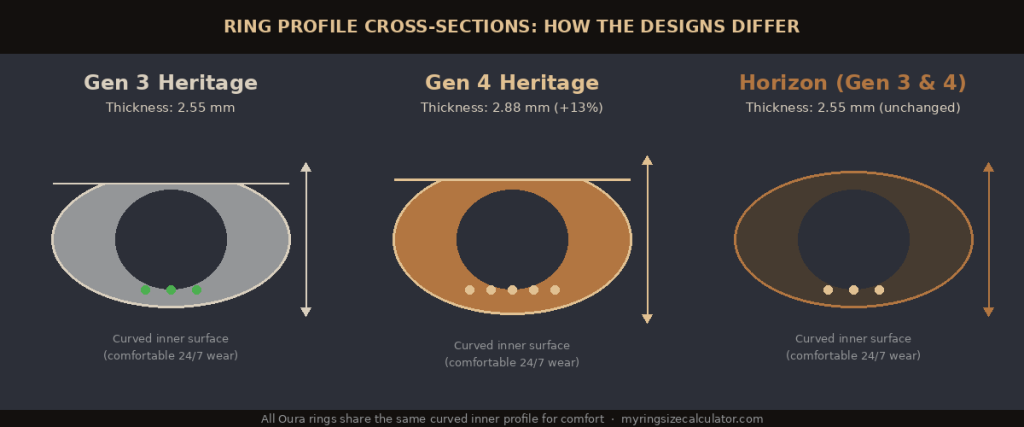
Cross-section profiles for all three ring variants — showing the thickness difference and expanded sensor array in the Gen 4 Heritage.
Looking at the ring’s cross-section reveals the practical differences between designs and generations more clearly than measurements alone.
Gen 3 Heritage Cross-Section
The Gen 3 Heritage has a flat top surface with the ring wall angling slightly outward at the base. The inner surface is curved (not flat) — this is consistent across all Oura rings. The 4 LED sensors sit on the inner surface at the finger-contact point. The relatively low 2.55 mm profile gives it a clean, flat appearance from above.
Gen 4 Heritage Cross-Section
The Gen 4 Heritage cross-section looks nearly identical to the Gen 3, with one measurable difference: the outer shell is 0.33 mm taller to accommodate the 10-LED sensor array on the inner surface. The flat top is slightly higher from the skin surface. The inner profile and curve are unchanged — the sensor contact surface is the same geometry.
Importantly, the inner sensor profile in the Gen 4 has a ‘recessed’ sensor fit — the LED components sit slightly deeper into the band than in the Gen 3, where they created a very subtle bump detectable by touch. This recessed design improves skin contact consistency and reduces the tactile awareness of sensor hardware during wear.
Horizon Cross-Section (Gen 3 & 4 Identical)
The Horizon’s dome exterior gives it a cross-section that is widest at the outer apex. The dome’s curvature means there is more depth available at the centre of the cross-section — which is why the 10-LED sensor array fit without requiring a thickness increase. The inner curved profile is identical to the Heritage.
| 🔍 Key Insight: The Inner Surface Is The Same on All Variants Despite the exterior design differences and the Heritage thickness change, the inner surface profile of all Oura Ring variants — Gen 3 Heritage, Gen 4 Heritage, and both generations of Horizon — uses the same curved geometry. This means comfort and sensor contact are equivalent across designs. Your size number is also the same regardless of which design you choose. |
5. Does the 0.33 mm Difference Actually Matter?
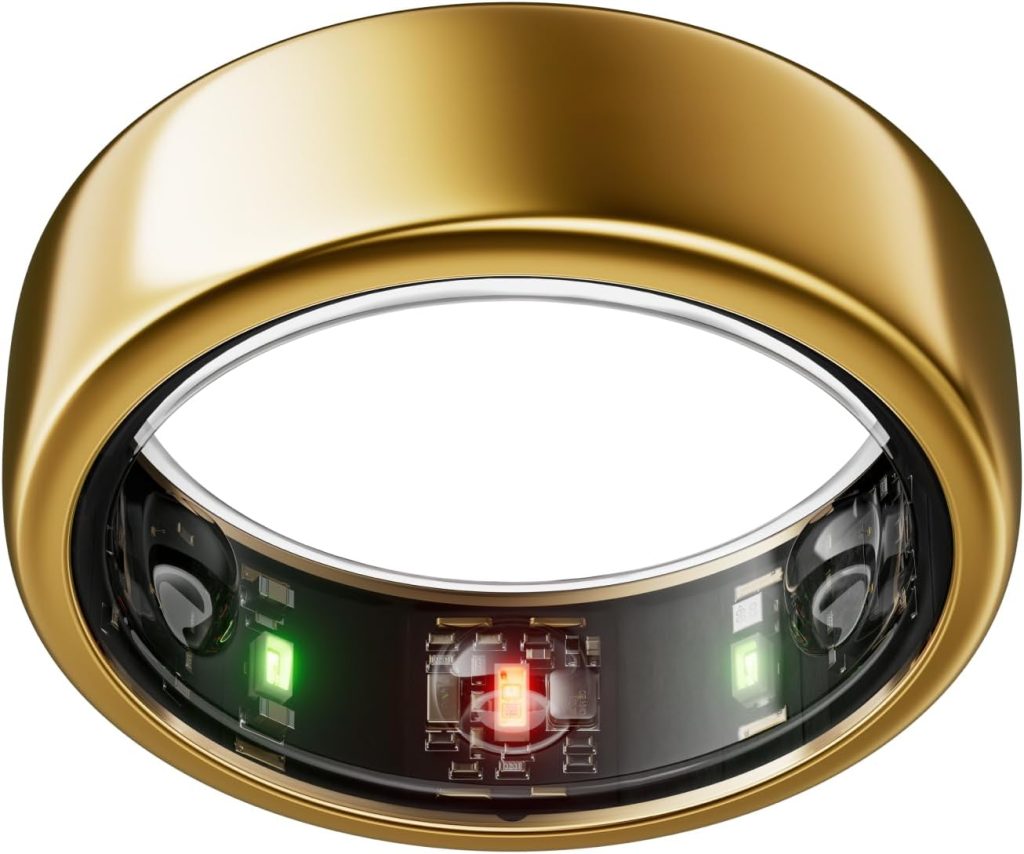
This is the practical question most people upgrading from Gen 3 want answered: will you notice the 0.33 mm increase in the Heritage design?
In Everyday Wear
0.33 mm is approximately the thickness of three human hairs laid side by side. In blind testing — where users alternated between Gen 3 and Gen 4 Heritage rings without being told which was which — the majority could not reliably identify which ring was thicker. The difference is below the threshold of conscious tactile discrimination for most people.
Where the difference is more likely to be noticed is during specific activities: some users report that the Gen 4 Heritage has a slightly more ‘present’ feeling when typing on a keyboard or playing instruments, as the higher profile creates marginally more contact with adjacent surfaces. This is not discomfort — it is simply a slightly different tactile awareness.
In Sleep
Sleep comfort is arguably the most important context for the Oura Ring, since it is worn continuously overnight and the ring must not cause awakening or discomfort. The r/ouraring community consensus based on first-hand Gen 3-to-Gen 4 upgrade reports is that the 0.33 mm change is imperceptible during sleep. No significant community-level reports of Gen 4 Heritage sleep discomfort due to the thickness change emerged in the months following the October 2024 launch.
In Athletic & Active Use
During weightlifting, grip-intensive exercises, and contact sports, the Heritage design’s flat top creates more localised pressure against barbell knurling or equipment surfaces than the Horizon’s dome. The Gen 4 Heritage’s 0.33 mm additional height marginally increases this effect compared to the Gen 3. Users who regularly train with barbells or rock climb tend to prefer the Horizon design for its dome profile that distributes grip pressure more evenly — regardless of generation.
Community feedback: r/ouraring — Gen 3 vs Gen 4 Comfort Discussion | Oura Ring Gen 4 Complete Review
6. Comfort: Gen 3 vs Gen 4 — Real User Feedback

Aggregate feedback from the r/ouraring community (140,000+ members) and published reviews provides a reliable picture of how real users compare the comfort of both generations.
Gen 3 Heritage — Comfort Profile
- Widely praised: the 2.55 mm thickness was considered the ideal balance between sensor performance and wearability for the Heritage design.
- Occasional criticism: some users noted the sensor nodes on the inner surface created a very subtle tactile bump that took a few days to stop noticing.
- Sleep wear: universally comfortable for sleep tracking according to community consensus.
- Activity: comfortable for most activities; occasional notes about barbell grip interaction.
Gen 4 Heritage — Comfort Profile
- Recessed sensors: the Gen 4 eliminated the slight LED bump on the inner surface, replacing it with a flush/recessed sensor design. Many users who upgrade from Gen 3 note this as an improvement.
- Thickness change: the 0.33 mm increase is almost universally described as imperceptible in reviews and community posts.
- Sleep wear: no notable comfort regression reported post-launch across hundreds of community upgrade reports.
- Net verdict: the Gen 4 Heritage is generally considered equal-to-slightly-better in comfort than the Gen 3 Heritage, despite being marginally thicker, due to the recessed sensor improvement.
Gen 4 Horizon — Comfort Profile
- Thinnest available: at 2.55 mm and 7.0 mm width, the Horizon is the lowest-profile option in the Gen 4 lineup.
- Dome distribution: the rounded exterior distributes pressure more evenly during grip activities.
- Jewellery-like: frequently described as feeling most similar to conventional ring jewellery.
- Preferred by: users with sensitive hands, athletes doing grip work, and users wearing the ring alongside other jewellery.
Sizing & comfort: Oura Ring Sizing Hub — Fit, Comfort & Size Guide
7. Complete Dimensions Comparison Table
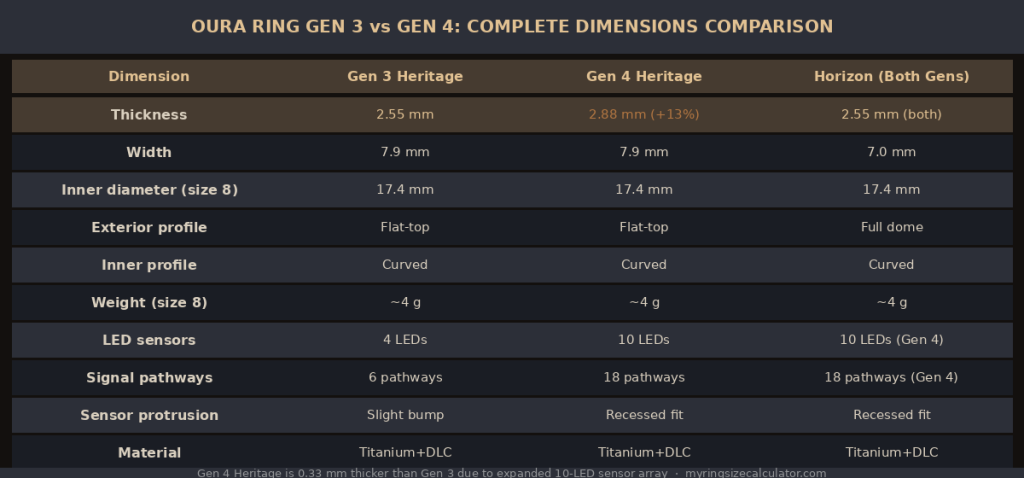
Full dimensions comparison: Gen 3 Heritage, Gen 4 Heritage, and Horizon (both generations) across all key measurements.
| Measurement | Gen 3 Heritage | Gen 4 Heritage | Horizon (Gen 3) | Horizon (Gen 4) |
| Thickness | 2.55 mm | 2.88 mm (+13%) | 2.55 mm | 2.55 mm |
| Width (band) | 7.9 mm | 7.9 mm | 7.0 mm | 7.0 mm |
| Inner diameter (size 8) | 17.4 mm | 17.4 mm | 17.4 mm | 17.4 mm |
| Exterior profile | Flat top | Flat top | Full dome | Full dome |
| Interior profile | Curved surface | Curved surface | Curved surface | Curved surface |
| Sensor placement | Slight bump | Recessed flush | Recessed flush | Recessed flush |
| LED count | 4 LEDs | 10 LEDs | 4 LEDs | 10 LEDs |
| Signal pathways | 6 | 18 | 6 | 18 |
| Weight (size 8 approx.) | ~4 g | ~4 g | ~4 g | ~4 g |
| Shell material | Titanium + DLC | Titanium + DLC | Titanium + DLC | Titanium + DLC |
| Water resistance | 100m / 10 ATM | 100m / 10 ATM | 100m / 10 ATM | 100m / 10 ATM |
| Charging dock | USB-A magnetic | USB-C magnetic | USB-A magnetic | USB-C magnetic |
| Size range | 6 – 13 | 6 – 13 | 6 – 13 | 6 – 13 |
| 💡 Sizing Tip: Your Size Number Is the Same Across All Designs The inner diameter for each size number (6 through 13) is identical across Heritage and Horizon designs, and identical between Gen 3 and Gen 4. A user who wears a size 8 Gen 3 Heritage will wear a size 8 Gen 4 Heritage and a size 8 Horizon. You do not need to re-order the sizing kit if you already know your Oura ring size from a previous generation. |
8. Visual Design Changes from Gen 3 to Gen 4
Beyond the 0.33 mm thickness change, several visual design details changed between the Gen 3 and Gen 4 Heritage. These are worth understanding if you are upgrading for aesthetic reasons or comparing the two in person.
Surface Finish Refinements
The Gen 4 Heritage and Horizon both received refinements to their surface finishing process compared to the Gen 3. The DLC (diamond-like carbon) coating is described by Oura as more consistent across the curved surfaces, and the edge bevelling on the Heritage is slightly more precise. These are subtle differences that are more noticeable when held next to each other than when comparing memory to a Gen 3 you no longer have.
New Colours Introduced with Gen 4
The Gen 4 launch introduced Rose Gold (Horizon only) as a new colour option that was not available on the Gen 3. Stealth (matte DLC, Heritage only) was also newly introduced. Gold and Black remained in the lineup with a refinement to the PVD coating process. Silver remained unchanged.
Colour details: Is the Oura Ring Rose Gold Real? (PVD Materials Explained) | Best Oura Ring — Which Colour & Finish to Choose
Charging Dock Change
While not a ring dimension change, the shift from a USB-A magnetic dock (Gen 3) to a USB-C magnetic dock (Gen 4) is a meaningful design update for daily use. USB-C is now the universal standard for consumer electronics, meaning the Gen 4 charger is compatible with any laptop charger, phone brick, or power bank without an adapter. The dock itself is similarly compact.
Gen 3 vs Gen 4: Side-by-Side Visual Summary
| Design Element | Gen 3 | Gen 4 | Change? |
| Heritage thickness | 2.55 mm | 2.88 mm | Yes (+0.33 mm) |
| Horizon thickness | 2.55 mm | 2.55 mm | No |
| Sensor inner profile | Slight tactile bump | Flush / recessed sensors | Yes (improved) |
| Rose Gold colour | Not available | Available (Horizon only) | New |
| Stealth colour | Not available | Available (Heritage only) | New |
| Brushed Titanium | Not available | Available (limited edition) | New |
| Charging dock type | USB-A magnetic | USB-C magnetic | Yes (upgraded) |
| LED arrangement | 4 LEDs (slight outer visibility) | 10 LEDs (recessed, less visible) | Yes (improved) |
Full upgrade comparison: Oura Ring Gen 3 vs Gen 4 vs Galaxy Ring — Full Comparison | Oura Ring Generations Hub
9. Which Design Is Better for 24/7 Wear?
There is no single correct answer — the best design for 24/7 wear depends on your specific use case, hand anatomy, and aesthetic preference. Here is a structured guide to help you decide.
Choose Gen 4 Heritage If:
- You prefer a design-forward, architectural look with a visible flat face.
- You want the ring to look intentionally different from conventional jewellery.
- The slight additional thickness (2.88 mm vs 2.55 mm) is not a concern for your lifestyle.
- You do heavy grip training only occasionally and do not mind a brief ring-removal routine.
Choose Gen 4 Horizon If:
- You want the lowest possible profile — 2.55 mm, same as the Gen 3 in any design.
- You want the ring to blend in with other jewellery or look like a conventional ring band.
- You do frequent weightlifting, climbing, or grip-intensive work and prefer dome pressure distribution.
- You want the Rose Gold colour (only available on Horizon).
- You are upgrading from Gen 3 and want the same thickness feel with new sensors.
Verdict: Best for Comfort Over Time
For most users wearing the ring 24/7 across sleep, work, and light activity, both designs are equally comfortable in practice. The Gen 4 Horizon is technically the better choice for minimum profile and maximum grip comfort. The Gen 4 Heritage is better for those who want the signature Oura aesthetic and are not concerned about the marginal thickness increase.
If you are upgrading specifically because the Gen 3 Heritage felt too prominent on your finger, switching to the Gen 4 Horizon will be a noticeable improvement. If the Gen 3 Heritage was comfortable for you, the Gen 4 Heritage will be equally comfortable.
| ▶ Video: Oura Ring 4 Heritage vs Horizon — Which Design to Choose? (YouTube) Watch a hands-on side-by-side comparison of the Oura Ring Gen 4 Heritage and Horizon designs, including wear demonstrations, light catching, and size comparisons.Recommended YouTube searches: ‘Oura Ring 4 Heritage vs Horizon’ · ‘Oura Ring 4 design comparison’ · ‘Oura Ring Gen 3 vs Gen 4 thickness’Recommended channels: DC Rainmaker · The Quantified Scientist · MobileReviews-Eh |
10. Frequently Asked Questions
Q: Is the Oura Ring 4 thinner than the Gen 3?
A: No — the Gen 4 Heritage is actually slightly thicker (2.88 mm vs 2.55 mm), while the Gen 4 Horizon is the same thickness as both Gen 3 designs (2.55 mm). If you want the thinnest Gen 4 option, choose the Horizon design.
Q: What is the exact thickness of the Oura Ring 4?
A: The Oura Ring Gen 4 has two thickness measurements depending on design: Heritage = 2.88 mm, Horizon = 2.55 mm. Both designs use the same sensor array and produce identical health data.
Q: Does the Oura Ring 4 fit in the Gen 3 charger?
A: No. The Oura Ring Gen 4 uses a different magnetic charging dock with a USB-C connector, replacing the Gen 3’s USB-A dock. The docks are not interchangeable. If you upgrade from Gen 3 to Gen 4, you will need to use the new USB-C dock included in the Gen 4 packaging.
Q: Is the Oura Ring 4 more comfortable than Gen 3?
A: In most respects, yes or equivalent. The Gen 4 eliminated the slight tactile sensor bump on the inner surface (replacing it with a recessed flush design), which many users find more comfortable over long-term wear. The Heritage thickness increase of 0.33 mm is imperceptible to most users. The Horizon has no comfort regression at all.
Q: Does the ring size change between Gen 3 and Gen 4?
A: No. The inner diameter for each size number (6 through 13) is identical between Gen 3 and Gen 4, and identical between Heritage and Horizon designs. Your existing Oura ring size applies directly to the Gen 4 without needing to re-order the sizing kit.
Q: Why did Oura make the Gen 4 Heritage slightly thicker?
A: The 0.33 mm increase accommodates the expanded 10-LED Smart Sensing 2.0 sensor system. The Gen 4 uses 10 LEDs (vs 4 in Gen 3) across three wavelengths (green, red, infrared), creating 18 independent signal pathways. This additional sensor hardware required marginally more interior radial space in the Heritage shell. The Horizon’s dome profile already provided sufficient internal volume without requiring any thickness increase.
Q: Can I use a Gen 4 Horizon instead of Heritage to avoid the thickness increase?
A: Yes — this is exactly what Oura intended. The Horizon and Heritage use completely identical sensor arrays in the Gen 4. If you prefer the 2.55 mm profile, choose the Horizon. The only difference is the exterior aesthetics: flat top (Heritage) vs. full dome (Horizon).
Complete Oura Ring Resource Centre
On this site: Oura Ring Hub | Oura Ring Gen 4 Review | Oura Ring Generations Hub | Oura Ring Comparisons Hub | Oura Ring Sizing Hub | Oura Ring Buying Guide | Benefits of the Oura Ring 4
Authority sources: Wikipedia: Photoplethysmography | r/ouraring — Design & Comfort Discussion | BBC: Smart Rings & Health Technology | Wired: Oura Ring 4 Design Review | Oura Official Website
| 💰 Price Disclaimer Prices mentioned in this article are approximate averages based on publicly available information at the time of writing. Actual prices may vary depending on the retailer, region, and available promotions. Always check the official Oura website for the most current pricing before purchase. |